Using AI to Write a Python Script

Everyone’s doing it! AI tools have been around for quite a while, but they are definitely having a moment, and people are enjoying the thrill of discovery with these new tools.

I thought it would be fun to show a quick and easy way you can use Google Gemini to create a simple Python app that tells you the weather.
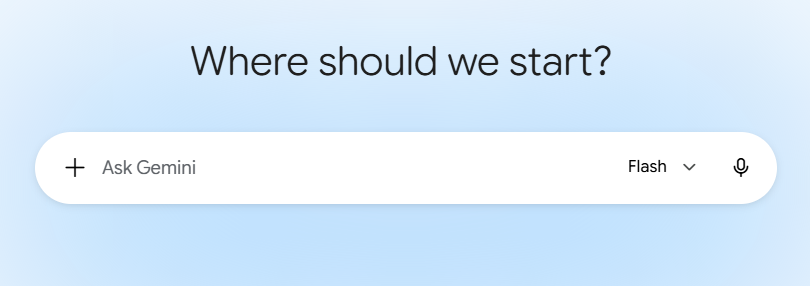
Google Gemini Page

Enter This

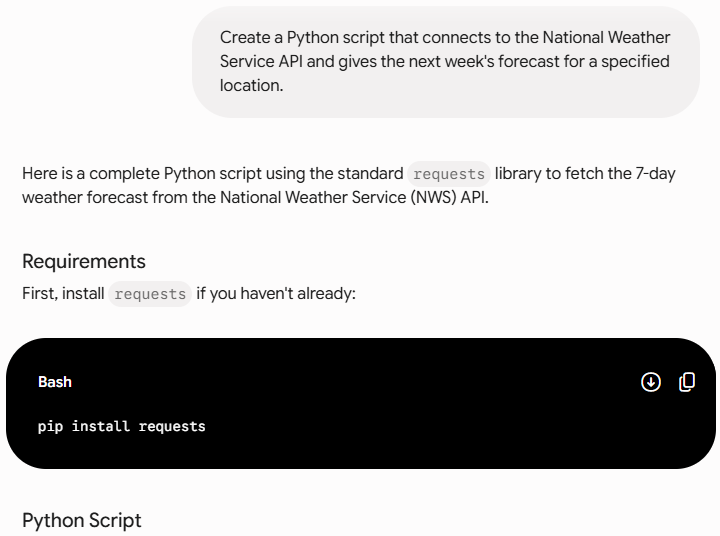
Create a Python script that connects to the National Weather Service API and gives the next week’s forecast for a specified location.

Result

Result - Requirements


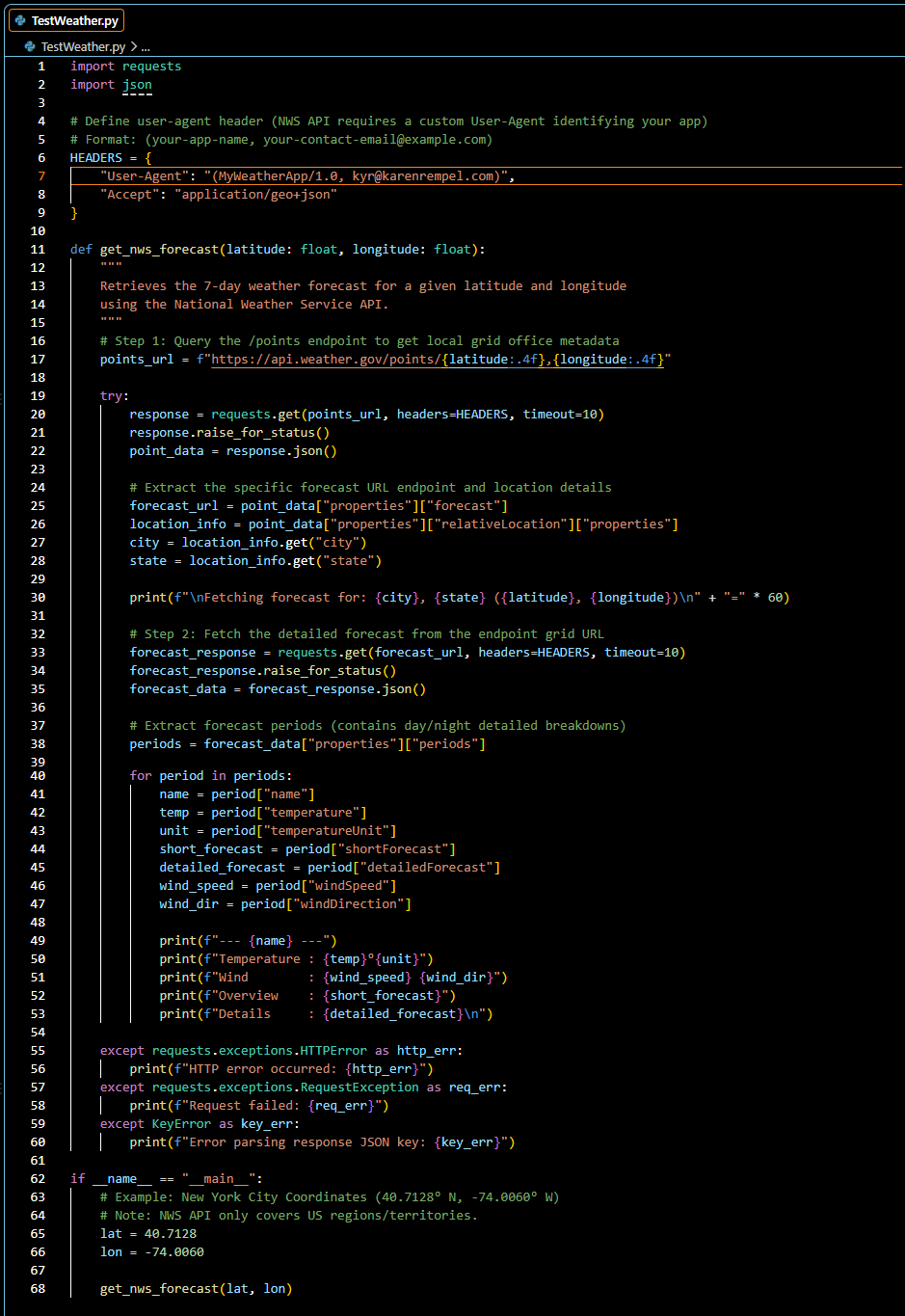
import requests
import json

# Define user-agent header (NWS API requires a custom User-Agent identifying your app)
# Format: (your-app-name, your-contact-email@example.com)
HEADERS = {
"User-Agent": "(MyWeatherApp/1.0, contact@example.com)",
"Accept": "application/geo+json"
}

def get_nws_forecast(latitude: float, longitude: float):
"""
Retrieves the 7-day weather forecast for a given latitude and longitude 
using the National Weather Service API.
"""
# Step 1: Query the /points endpoint to get local grid office metadata
points_url = f"https://api.weather.gov/points/{latitude:.4f},{longitude:.4f}"

try:
response = requests.get(points_url, headers=HEADERS, timeout=10)
response.raise_for_status()
point_data = response.json()

# Extract the specific forecast URL endpoint and location details
forecast_url = point_data["properties"]["forecast"]
location_info = point_data["properties"]["relativeLocation"]["properties"]
city = location_info.get("city")
state = location_info.get("state")

print(f"\nFetching forecast for: {city}, {state} ({latitude}, {longitude})\n" + "=" * 60)

# Step 2: Fetch the detailed forecast from the endpoint grid URL
forecast_response = requests.get(forecast_url, headers=HEADERS, timeout=10)
forecast_response.raise_for_status()
forecast_data = forecast_response.json()

# Extract forecast periods (contains day/night detailed breakdowns)
periods = forecast_data["properties"]["periods"]

for period in periods:
name = period["name"]
temp = period["temperature"]
unit = period["temperatureUnit"]
short_forecast = period["shortForecast"]
detailed_forecast = period["detailedForecast"]
wind_speed = period["windSpeed"]
wind_dir = period["windDirection"]

print(f"--- {name} ---")
print(f"Temperature : {temp}°{unit}")
print(f"Wind : {wind_speed} {wind_dir}")
print(f"Overview : {short_forecast}")
print(f"Details : {detailed_forecast}\n")

except requests.exceptions.HTTPError as http_err:
print(f"HTTP error occurred: {http_err}")
except requests.exceptions.RequestException as req_err:
print(f"Request failed: {req_err}")
except KeyError as key_err:
print(f"Error parsing response JSON key: {key_err}")

if __name__ == "__main__":
# Example: New York City Coordinates (40.7128° N, -74.0060° W)
# Note: NWS API only covers US regions/territories.
lat = 40.7128
lon = -74.0060

get_nws_forecast(lat, lon)

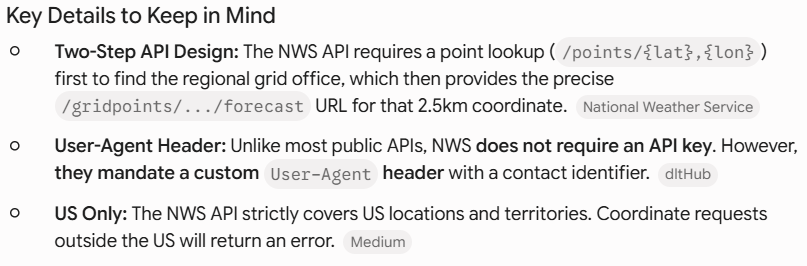
Final Details

Additional Details

Of course you also have to know how to install requests and run the Python script on your computer! But Gemini did the coding for you. Sweet!